🌐 语言 / Language:

Have you ever wondered if there’s a way to tell—right from the start—whether an offer + LP + traffic combo is worth continuing?
This method is made for exactly that.
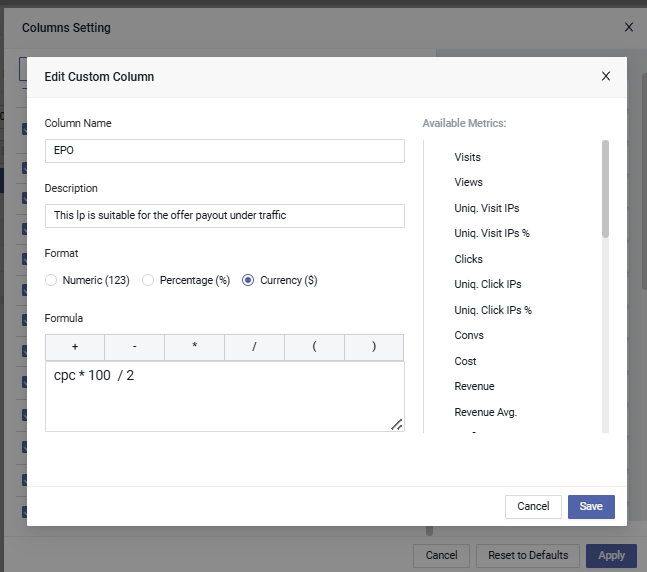
Add a custom column in your tracker called epo, and use the formula:
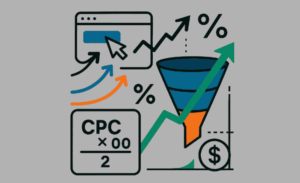
epo = cpc × 100 ÷ 2Here, cpc means the cost per real CTA click — not the CPC from your traffic source, but the actual cost it takes to get someone from the LP to click through to the offer page.
So what does the number mean?
If we assume a 2% conversion rate after the user lands on the offer page, it means you get 1 conversion for every 50 clicks.
→ Which means your cost per conversion ≈ cpc × 50 — that’s why the formula is written as cpc × 100 ÷ 2.
This amount is your Expected Payout, or EPO — the minimum payout the offer needs in order to break even under current conditions.
It’s not an exact rule — more like a benchmark.
Now compare this EPO with the actual payout of the offer:
cpc × 100 ÷ 3 and recalculate.Because traffic prices are relatively stable short-term, and LP click-through rates can usually be estimated within a few hundred impressions. That means you can know very early whether a setup is even worth testing further — without waiting for conversions to show up.
Once you’ve set up the EPO column, just send a small round of traffic. After that, compare EPO vs. payout and you’ll know whether to keep optimizing or cut it fast.
This method works across all verticals, and with any traffic type — push, native, pop, etc.
As long as your tracker reports cpc, this works.
Set up this formula once, and for every new campaign after that, you’ll be able to judge the combo direction within 30 minutes. No more guesswork, no more burning budget blindly.
Now let’s take Maxconv as an example.
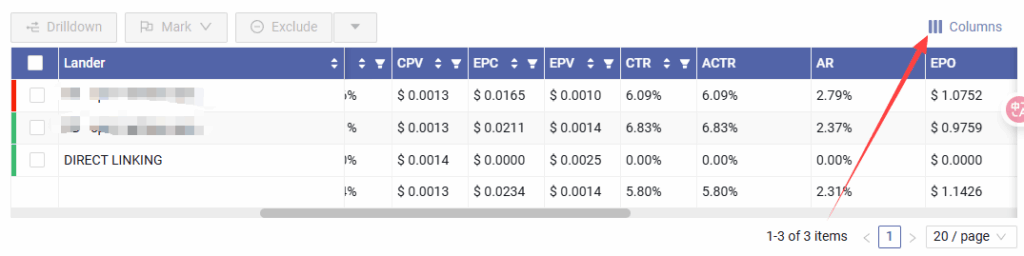
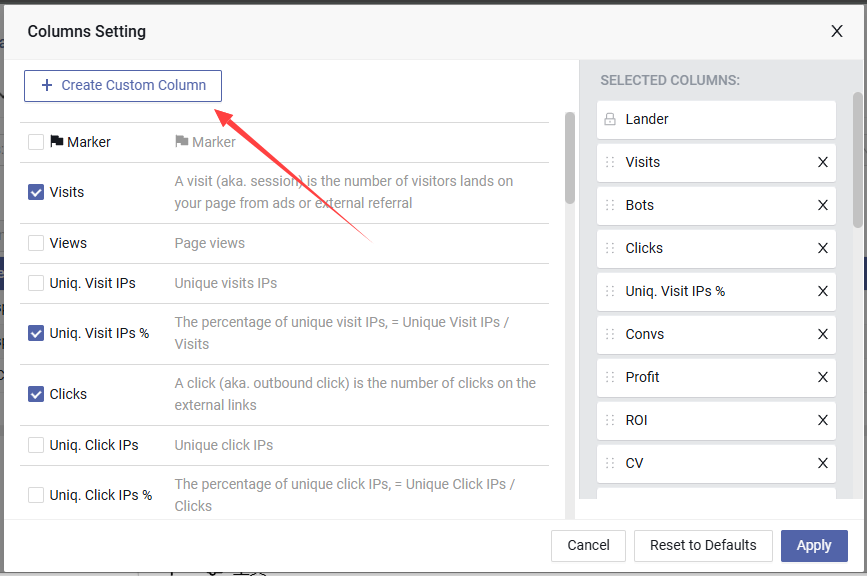
Open any campaign report, click the Columns button at the top right, and here’s how to set it up… (continue with screenshot or step-by-step).